
Stock, purchasing, sales and invoicing for wholesalers and distributors
Everything a trading business needs and nothing it doesn't: live stock across warehouses, purchase orders, sales orders and deliveries, tax invoices and double-entry accounts — on your own server, for a one-time fee with no per-user charges.
Built for
- Wholesalers and distributors
- Importers and exporters
- Trade and online sellers holding their own stock
- Businesses that have outgrown spreadsheets
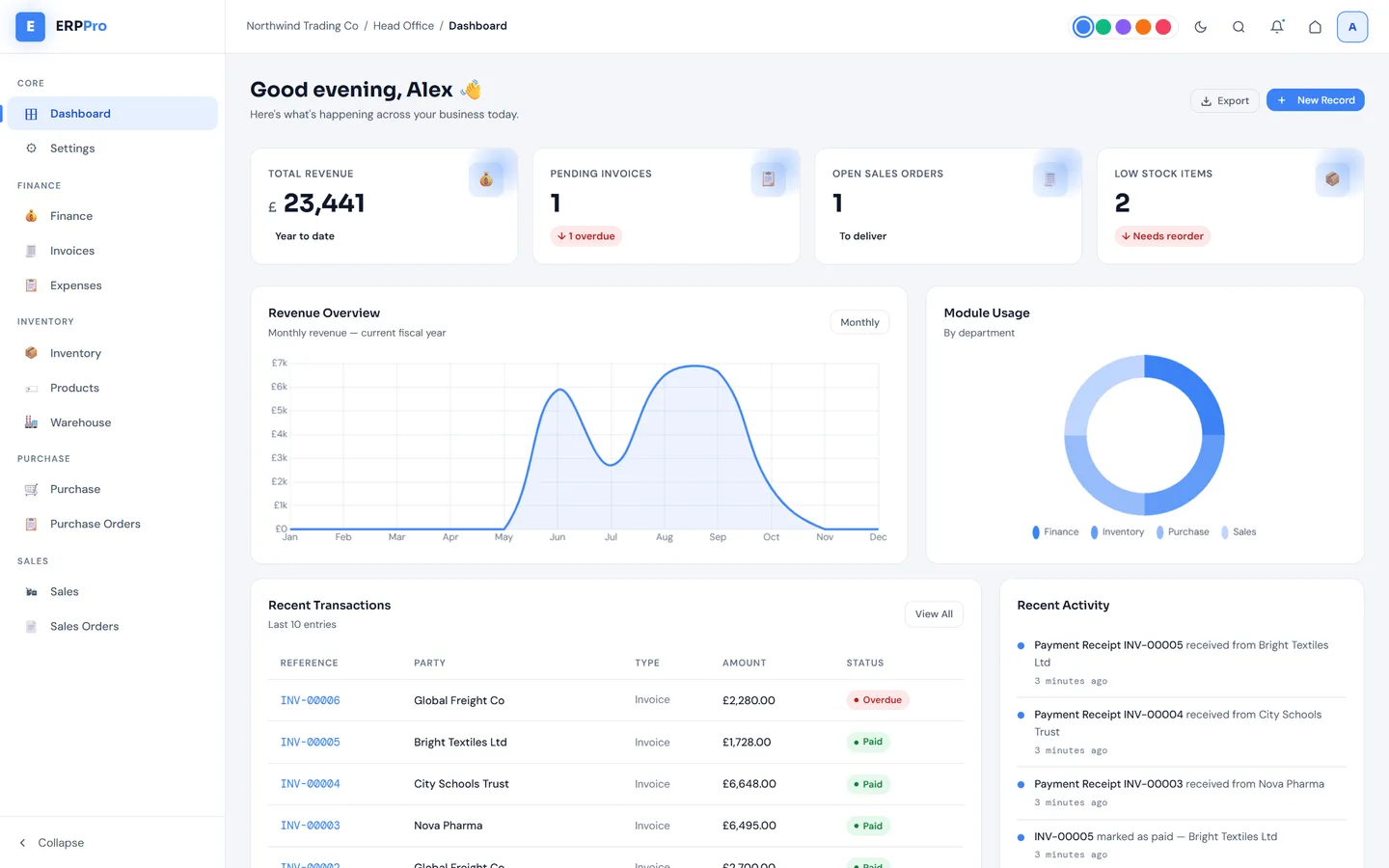
ERPPro Trade, screen by screen
Real screens from the demo company every trial starts with. Click a thumbnail to see it larger.
What ERPPro Trade does
Inventory
Products, categories, units and warehouses, with stock movements, live stock balances and low-stock alerts.
Purchasing
Purchase orders to vendors and goods receipts that update stock and create the vendor bill automatically.
Sales
Sales orders and deliveries that reduce stock, invoice the customer and post cost of goods sold.
Invoicing
Customer invoices with a printable PDF, payments and balance due, created straight from delivered orders.
VAT, GST and sales tax
Tax rates per line, including zero-rated, exempt and EU reverse charge. Invoices show both VAT numbers and the tax per rate, and a tax report gives the figures for your return.
Accounting
Double-entry books kept automatically: chart of accounts, vendor bills, payments, journal entries, and profit & loss, balance sheet and trial balance reports.
Branches and users
Several branches and warehouses, a login for each staff member, and roles that decide who can view, edit, approve or administer.
Your server, your data
Runs on your own server, or on managed hosting we run for you. No per-user fees, and you can upgrade to the full ERPPro later without moving your data.
How to use ERPPro Trade
The first day with the app, in 6 steps. We walk you through this live after deployment.
Set up your company
Log in as administrator, add your company, branches and warehouses, and enter your VAT or tax ID in Settings.
Set your tax rates
Under Finance → Tax Rates add the rates you charge, such as standard VAT, zero-rated and EU reverse charge.
Add products, customers and vendors
Create products with prices and reorder levels, then your customers and suppliers. You can send us an Excel file to import them.
Buy stock
Raise a purchase order and receive the goods: stock goes up and the vendor bill is created for you.
Sell and invoice
Create a sales order and deliver it: stock goes down, the invoice is raised, and you record the payment when it arrives.
Check stock and reports
Use the stock report for what to reorder, and Finance → Reports for profit and loss and the tax report.
ERPPro Trade plans
One-time setup fee, no per-user fees. Maintenance is optional — 30 days are included free. Add managed hosting if you don't have a server.
Trade
One company buying and selling stock
Managed hosting (optional): +$59/month
- Inventory, purchasing and sales
- Invoicing, tax and accounting
- 1 company · up to 3 branches · 10 users
- Deployment + 1-hour walkthrough
- Maintenance includes 2 support hours a month
Trade Plus
More companies, branches and staff
Managed hosting (optional): +$69/month
- Everything in Trade
- Up to 2 companies · 6 branches · 25 users
- Import of products, customers and opening stock from Excel
- Deployment + 2 training sessions
- Maintenance includes 3 support hours a month
Prices exclude your domain and, unless you add managed hosting, your server costs. How payment works: 50% to start, 50% on go-live, refundable before work starts. See the Terms & Conditions for what's included.
What you need to provide
Using your own server? Here's what it needs — ask us and we'll check it for free. With managed hosting we provide all of this.
- Linux VPS or cloud server (Ubuntu 22.04 or newer) where we can install Docker — at least 2 vCPU, 4 GB RAM and 40 GB SSD
- A domain or sub-domain (e.g. trade.yourcompany.com) and access to its DNS settings
- SSH access for us during deployment — we agree a secure way to share it
- Ports 80 and 443 open for HTTPS (we set up the free SSL certificate)
Questions about ERPPro Trade
Can I add HR, CRM or manufacturing later?
Does it handle VAT on sales to EU business customers?
Can you import our products and customers from Excel?
Does it connect to our online shop or marketplace?
Questions about ERPPro Trade?
Send us a message or WhatsApp — we reply within one business day.